AI Lingerie Pics

Create AI lingerie pics from your own adult photo before you buy or plan a shoot. Upload one clear photo, add a product reference or catalogue description, and preview opaque, lined bras, bodysuits, slips and robes while keeping your face, pose and real proportions.

  • No-mask photo + product reference or text
  • Garments only — opaque styles, no nudity
  • One-time credit packs, zero watermark
  • Auto credit refund on blocked or failed runs

Photo to change

One person, facing the camera, with a visible face and even lighting. Avoid heavy occlusion or steep angles. JPG or PNG, up to 8MB.

Garment photo (optional — you can describe it instead)

Optional. Flat lay, hanger or a worn shot — or describe the outfit instead.

0 / 20000

Quality

Sign-in required · no guest trial on this tool

Lingerie previews are available to signed-in adult accounts only. Each run uses credits; the cost is shown before you generate.

Example result

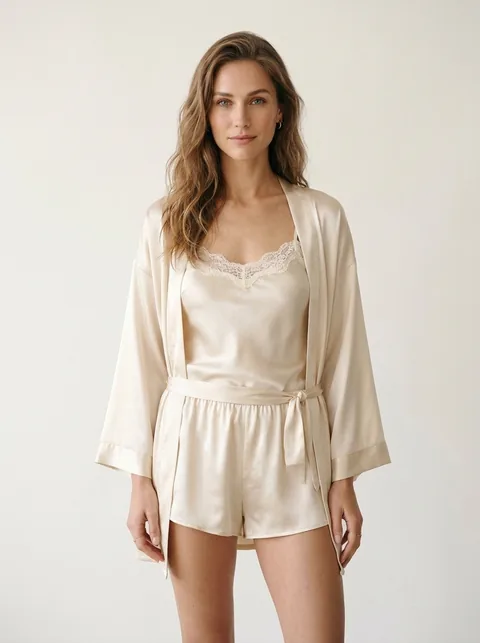
Ivory satin camisole set and belted silk robe preview — BeforeIvory satin camisole set and belted silk robe preview — After

Adults only (18+) with explicit consent

Sign-in is required on this page—there is no anonymous guest mode. Upload only your own photo or an adult model photo you have explicit permission to edit. Photos of minors, public figures or non-consenting people are prohibited and may lead to a permanent ban.

Garments only, double-checked with auto refunds

Every prompt and input photo is screened before generation, and every finished image is checked again before saving. Sheer fabric, nudity, sexual poses and undressing requests are refused; any blocked or failed output is discarded immediately and its credits are returned.
Why Use Our AI Lingerie Generator Instead of Generic Photo Editors

Dual safety checks with automatic credit refunds

Generic platforms often block normal retail lingerie keywords outright or keep your credits after a moderation error. This dedicated AI lingerie generator screens both the input and the finished image for mainstream opaque intimate apparel. If a run fails or gets blocked by the output filter, the image is never saved and your credits return to your balance automatically.

One-time credit packs, zero subscription, no watermark

Every AI lingerie pics download is clean and watermark-free—no blurred previews and no surprise monthly billing. Credits are sold in one-time packs and the workbench shows the exact cost before you click generate: 12 credits for 1K, 18 credits for 2K, and 30 credits for 4K.

View one-time credit packs

Product reference photo or text prompt, zero masking

Skip manual brush masks and repeated prompt guesswork. Upload a flat-lay, mannequin or catalog garment photo to guide strap placement, neckline and trim, or write a plain retail description. Combining a product reference with a short note on fabric and coverage gives more consistent ai generated lingerie previews on the first pass.

Keeps your real face, lighting and body proportions

Many tools replace your face with a generic AI portrait or exaggerate body measurements into unrealistic proportions. Our workflow edits only the clothing layer so your face, skin tone, posture, room lighting and real proportions remain the baseline when comparing AI lingerie pics side by side.

AI Lingerie Styles and Real-World Use Cases

AI lingerie try on for bras and bralettes before you buy

Product pages only show a cut on someone else. Run an ai lingerie try on with balconette, plunge, triangle or soft-cup bralette sets and matching high-waisted briefs on your own proportions. Name the cup shape, strap width and band height to compare necklines and coverage across two or three colors before ordering.

Bodysuits, satin slips and editorial AI boudoir generator styling

Lace-trimmed bodysuits, bias-cut satin slips and camisole sets shift the visual line of the waist and collarbone. Use the studio as a tasteful ai boudoir generator for glamorous, editorial-grade AI lingerie pics—all rendered with fully opaque lined fabrics and calm portrait lighting suitable for mood boards and personal styling.

Sleepwear, silk robes and layered loungewear previews

Preview structured pajama sets, chemises, belted kimono robes and ribbed lounge sets. Layering a matching satin or cotton robe over a base camisole or bralette lets you test softer, more covered silhouettes for travel packing, bridal morning prep or seasonal lookbooks.

AI underwear model previews for boutiques and product photography

Independent intimate apparel labels can test colorway and styling directions with an ai underwear model workflow before booking a full studio shoot. Pair real flat-lay shots with consenting model photos for early ai lingerie product photography mood boards—always verify lace trim, color accuracy and fit on the physical garment before publishing catalog listings.

How to Make AI Lingerie Pics in Three Steps

  1. 1. Upload a sharp, evenly lit adult photo

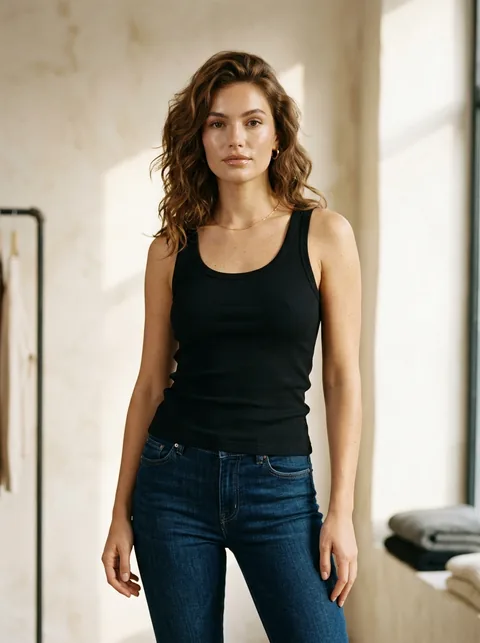
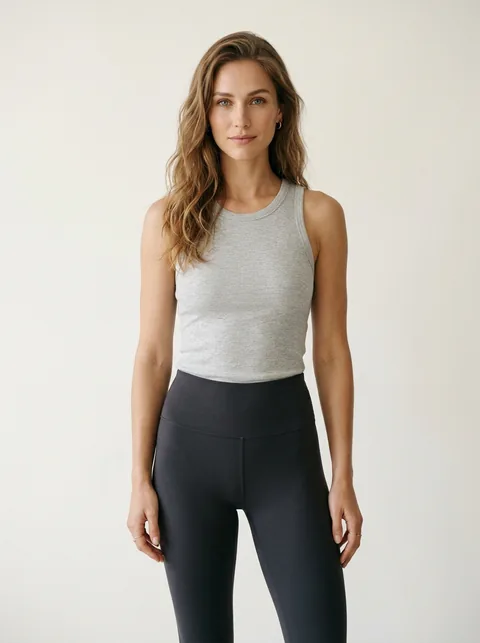
    Choose a front-facing photo of yourself or a consenting adult where the torso or full body is clearly visible and arms rest slightly away from the sides. Fitted everyday clothing—such as a plain tank top or fitted tee—gives cleaner body outlines than a bulky jacket or heavy shadows.

  2. 2. Add a product photo or write a catalogue prompt

    Upload a clear retail garment image (flat-lay, mannequin or studio shot) or describe the piece like a store listing: garment type first, then color, fabric, opaque lining and lighting—for example, “ivory satin camisole and matching shorts with a belted silk robe, opaque fabric, soft studio light.” Change one variable per run to get sharper ai lingerie pictures.

  3. 3. Confirm 18+ consent, generate and inspect with the slider

    Tick the required 18+ consent box, choose 1K, 2K or 4K resolution, and generate one preview. Drag the before-and-after slider at full size to inspect face consistency, strap alignment and fabric folds before downloading your watermark-free AI lingerie pics.

Before-and-After AI Lingerie Pics: Real Examples and Honest Limits

Satin camisole & belted silk robe — BeforeSatin camisole & belted silk robe — After

Satin camisole & belted silk robe

Catalogue loungewear preview keeping exact face, hair and soft studio lighting while adding an opaque ivory satin camisole set and draped robe.

Use the slider to inspect face consistency, shoulder drape, neckline coverage and robe layering against the original fitted tank-top photo. Compare fabric folds and waist height at full size before downloading.

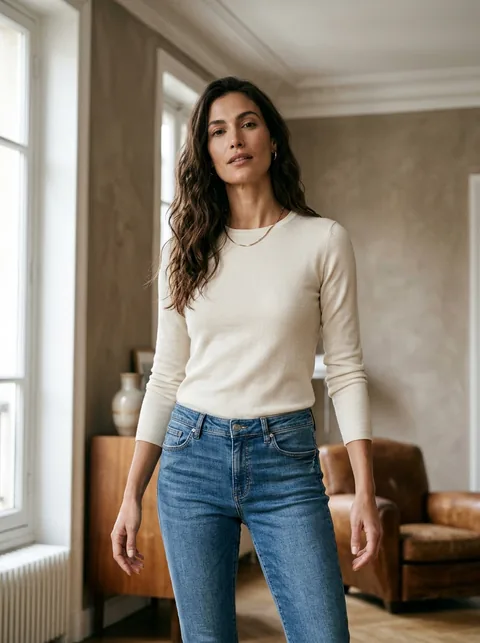
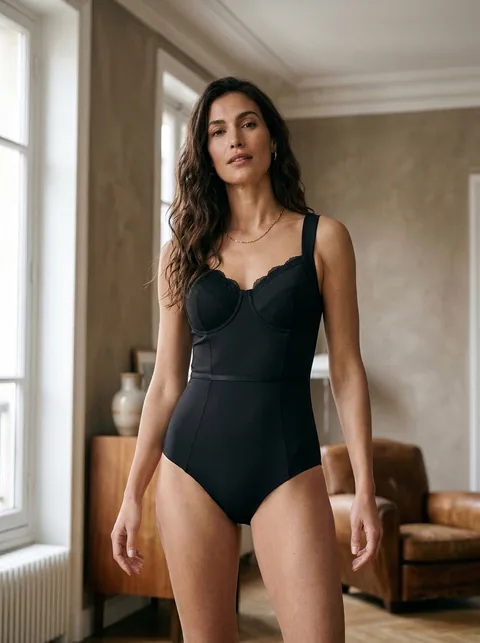
Structured black lace-trim bodysuit — BeforeStructured black lace-trim bodysuit — After

Structured black lace-trim bodysuit

Editorial bodysuit preview checking neckline depth, strap width and waist seam placement on the same model proportions.

Check how the opaque lined bodysuit contours to the natural torso without altering face, posture or room window light. Fine lace scallops can soften compared to macro photography—always verify lace trim against the physical garment.

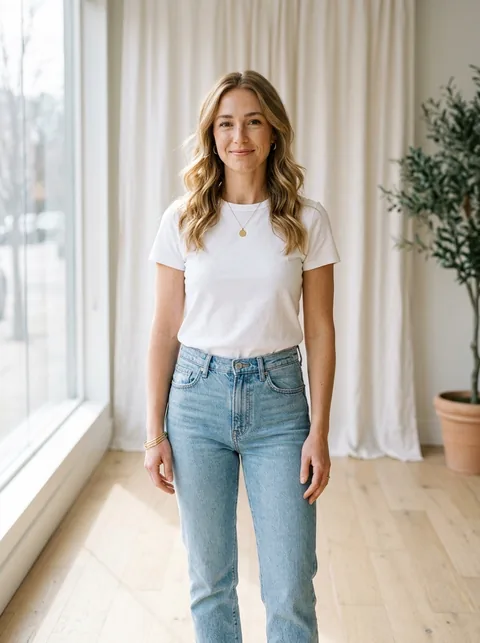
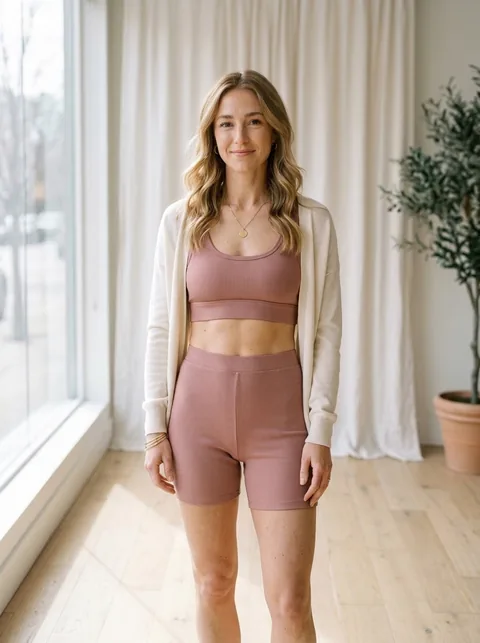
Ribbed cotton bralette & loungewear set — BeforeRibbed cotton bralette & loungewear set — After

Ribbed cotton bralette & loungewear set

Everyday department-store bralette and high-waisted lounge shorts preview from a fitted casual base photo.

Ideal for comparing casual coverage, high-waisted band placement and knit cardigan layering before ordering. This is a visual styling preview rather than a physical size fitting—check the brand size chart for exact band and cup support.

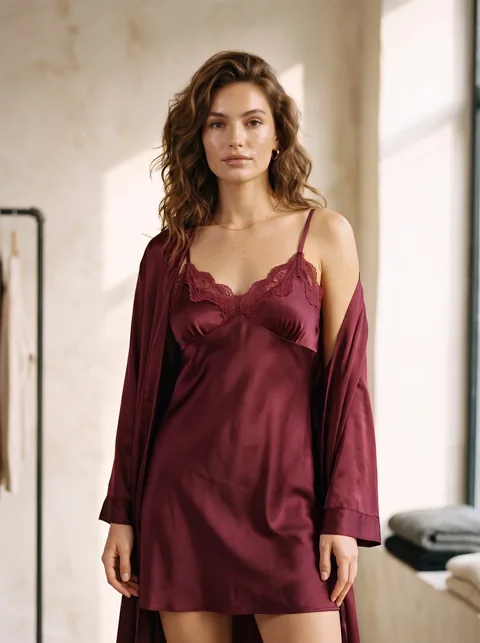
Burgundy floral-lace satin slip & silk robe — BeforeBurgundy floral-lace satin slip & silk robe — After

Burgundy floral-lace satin slip & silk robe

Glamorous boudoir-style preview pairing a deep burgundy scalloped floral-lace satin slip with an off-shoulder silk robe while preserving the exact model face and boutique lighting.

Drag the slider to compare the scalloped lace neckline, bias-cut satin drape and robe sleeve folds against the original black tank-top and jeans portrait. Rendered at 2K with fully opaque lined satin fabric.

What to check before you change photo clothes

Start with one clear, front-facing portrait and a garment reference that shows the full item. After generation, drag the slider and open the full-size image instead of trusting a thumbnail. Inspect the neckline, sleeves, hands, and any lettering beside the original photo. Outfit previews show visual styling, not physical measurements or garment fit.

Read the photo outfit editing guide

What this preview shows vs. what requires a real fitting

Because your face, lighting and room stay constant across runs, comparing two or three AI lingerie pics from the same photo is a reliable visual check for neckline depth, strap width, waist height, color tone and robe layering. However, AI is a visual styling preview—not a physical fitting. It cannot measure band tension, underwire support or cup volume, and fine lace motifs can soften compared to macro studio shots. Always confirm your size against the brand size chart and inspect physical samples before commercial use.

What we support vs. strict zero-nudity policy

This page previews mainstream, opaque retail lingerie, bodysuits, slips and sleepwear only. If you are looking for ai lingerie nude edits, nude ai pics or an undressing tool, this service will not generate them. Sheer or transparent fabric over private areas, cupless designs, thongs, sexual poses, undressing prompts, minors and non-consensual photos are blocked before credits are charged—or discarded immediately with an automatic credit refund.

AI Lingerie Pics FAQ

How do AI lingerie pics work on this page?

Upload a clear adult photo of yourself or a consenting model, then add a retail product photo or write a catalogue-style garment description. The AI lingerie generator edits only the clothing layer—rendering an opaque bra set, bodysuit, slip or robe while aiming to preserve your face, pose, lighting and real proportions. Drag the before-and-after slider to inspect the result before downloading.

Is the AI lingerie tool free, or does it require a subscription?

There is no anonymous guest trial on this page because intimate apparel previews require sign-in and 18+ consent verification. We do not use recurring subscriptions: you buy one-time credit packs with no watermarks (12 credits for 1K, 18 for 2K, 30 for 4K). The workbench displays the exact cost before you generate, and any blocked or failed generation returns its credits automatically.

Does this tool create ai lingerie nude or undressed images?

No. This page strictly previews opaque, lined retail lingerie and sleepwear—it never removes clothing or generates ai lingerie nude edits, topless imagery, see-through fabrics, thongs or sexual poses. Requests attempting nudity are rejected before credits are spent, and any output failing the automated image check is discarded immediately with a full credit refund.

Is this page adults only, and can I upload someone else’s photo?

Yes, this tool is strictly for adults (18+). You may only upload your own photo or an adult photo where you have explicit permission for this edit. Every run requires ticking the 18+ consent confirmation. Uploading photos of minors, public figures, ex-partners or anyone without consent violates our acceptable use policy and may lead to a permanent ban.

Which lingerie styles are not supported?

Sheer, transparent or mesh-revealing fabrics over the chest or groin, cupless or open-front styles, thongs, G-strings, micro garments and sexually explicit poses are outside the supported range. Stick to opaque, lined department-store bras, bralettes, bodysuits, satin slips, camisoles, pajamas and robes.

Can boutiques use AI lingerie pictures and AI lingerie models commercially?

Yes, provided you own or hold commercial licenses for the input model photos and product references and have written consent from every identifiable adult. Because ai lingerie pictures are visual previews—and fine lace textures or exact fit can differ from the physical garment—verify every detail against your real sample and follow marketplace disclosure rules.

How do I get the sharpest, most realistic AI lingerie pics?

Start with a sharp, front-facing photo in even indoor light where the torso or full body is visible and arms sit naturally away from your sides. Wear fitted everyday clothes in the source photo so the AI reads your natural outline accurately. Write prompts like a retail product listing—style, fabric, color, opaque lining and studio lighting—and adjust one detail per run.