AI Clothes Swap

Use our AI clothes swap online to change any outfit in a photo with no sign up. Replace a full look from a short prompt, a garment reference, or our 22-item wardrobe while aiming to keep your face, pose, and lighting intact.

  • First 1K swap free, no sign up & no watermark
  • No manual masking: prompt, reference photo, or 22-item wardrobe
  • One-time credit packs, zero subscriptions
  • Automatic credit refund if generation fails

Photo to change

One person, facing the camera, with a visible face and even lighting. Avoid heavy occlusion or steep angles. JPG or PNG, up to 8MB.

Garment photo (optional — you can describe it instead)

Optional. Flat lay, hanger or a worn shot — or describe the outfit instead.

0 / 20000

Quality

This run: free 1K guest trial · no card

Subject to free availability. More runs and 2K/4K require signing in and credits. The $1 Trial is a separate paid pack (1 × 1K).

Example result

Full outfit AI clothes swap — BeforeFull outfit AI clothes swap — After

Adults only (18+)

Use photos of consenting adults only. Everyday clothing and standard swimwear are supported; nudity, sexual content, minors, and non-consensual edits are strictly blocked.

Private upload & safety checks

Uploads are never published to a public gallery. Every input and output passes automated safety checks and is stored temporarily—download your result promptly and keep your link private.
Why Use This AI Clothes Swap Workbench

Zero-Mask Clothes Swapper AI: Prompt, Reference, or 22-Item Wardrobe

Skip brush tools and manual masking. This clothes swapper AI combines text prompts, uploaded garment photos, and a built-in 22-piece wardrobe in one workspace, so you can swap clothes from a flat-lay product shot or a single sentence.

Full Outfit Replacement or Layered Garment Control

Replace an entire outfit at once—top, bottoms, and footwear—or keep pieces you already like. For layered looks, write which garment goes on top and which items stay, such as adding a navy blazer over an ivory blouse while keeping the original trousers.

Best Clothes Swap AI Free Trial: No Sign In, No Watermark

Start an AI clothes swap—no sign up or sign in required—and download your first 1K result completely free and watermark-free, subject to current guest availability. When you need more edits or 2K/4K output, buy one-time credit packs with no recurring subscription, and failed generations refund credits automatically.

View one-time credit packs

Browser Clothes Swapper with Side-by-Side Detail Checks

Run this clothes swapper directly in any desktop or mobile browser without installing an app. Every result opens in an interactive before-and-after slider so you can inspect face fidelity, skin tone, cuffs, and lighting at full size before downloading.

Real-World Outfit Swap Use Cases

Full Outfit Swap AI & Swap Dress AI for New Looks

Use outfit swap AI to replace casual daily wear with evening dresses, knitwear, or seasonal looks without shooting new photos. For a swap dress AI edit, upload a full-length or three-quarter photo so hem length and fabric drape match your posture.

Add Suit to Photo Online Free & Layered Workwear

Need a cleaner profile or resume photo? Add a suit to a photo online free with your first 1K guest trial, or layer a tailored blazer over a crisp shirt while specifying that your original background, lighting, and expression stay unchanged.

Model Clothes Swap for Lookbooks & Creative Styling

Run a fast model clothes swap on a single consented studio portrait to test multiple colorways, outerwear layers, and styling directions. Compare every change outfit AI output against the same base pose and lighting before committing to a full shoot.

Everyday Outfits & Standard AI Clothes Swap Bikini Previews

Preview summer resort wear or run an AI clothes swap bikini edit on your own 18+ photo to compare silhouettes and colors before a trip. Standard everyday clothing and beachwear are allowed; nudity, explicit edits, and minors are strictly prohibited.

How to Do an AI Clothes Swap in 3 Steps

  1. 1. Upload a Clear Single-Person Photo

    Choose a well-lit JPG or PNG under 8 MB showing one consenting adult facing forward or at a slight three-quarter angle. Match the framing to the edit: upload a full-body shot if you want to swap clothes from head to toe, or a waist-up portrait for tops and jackets.

  2. 2. Pick a Prompt, Reference Photo, or Built-In Outfit

    Use the workbench as a prompt-driven outfit generator with picture support: type the exact garments and colors you want, upload a clean flat-lay clothing reference, or pick from the 22-item wardrobe. For layered edits, state clearly what goes over what and which original pieces stay.

  3. 3. Compare at Full Size and Refine One Detail at a Time

    Drag the before-and-after slider in the outfit changer to check facial features, hands, cuffs, collars, and lighting against your original photo. If a sleeve or layer blends unevenly, adjust one variable—simplify the prompt or replace the reference image—before downloading your clean result.

Real AI Clothes Swap Before-and-After Examples

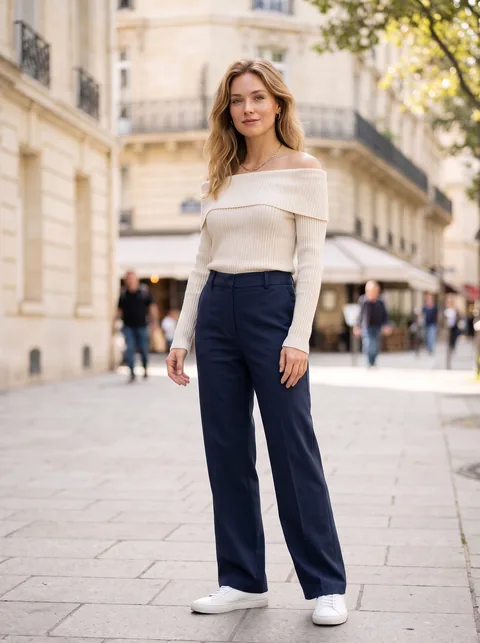
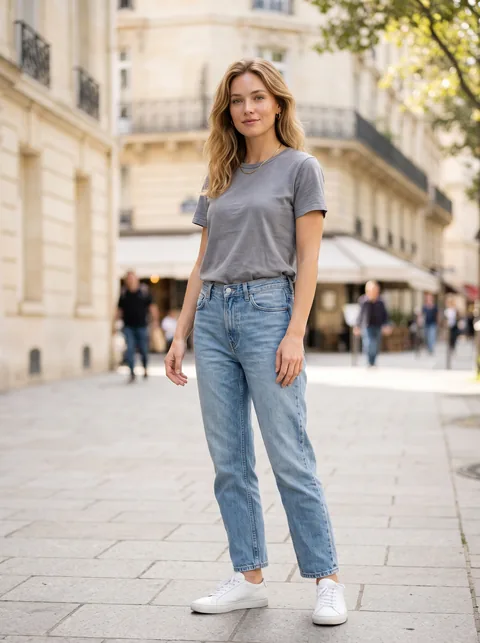
Full outfit AI clothes swap from a text prompt — BeforeFull outfit AI clothes swap from a text prompt — After

Full outfit AI clothes swap from a text prompt

Text prompt

Replace the entire outfit with a figure-flattering cream ribbed off-the-shoulder knit sweater, high-waisted navy tailored wide-leg trousers, and clean white minimalist sneakers. Keep her exact face, hair, pose, lighting, and Parisian street background unchanged.

Swaps a casual grey tee and jeans into a tailored cream knit and navy trouser look from one sentence—no garment reference or manual mask required.

Drag the slider to compare the face, honey-blonde waves, posture, and sunlit Parisian street against the original photo, then inspect the ribbed knit shoulder line, trouser drape, and sneaker edges at full size.

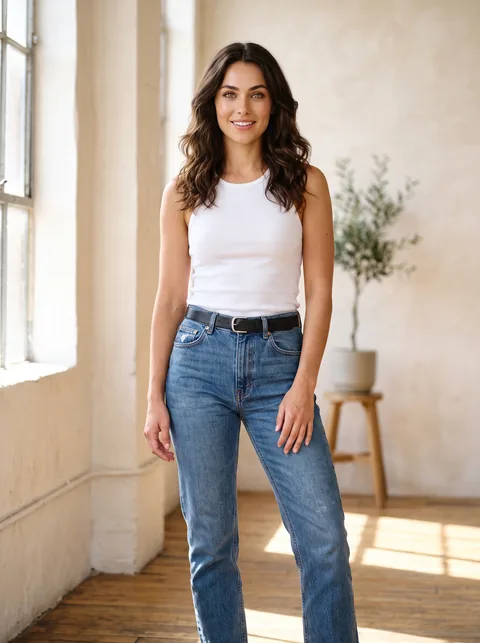
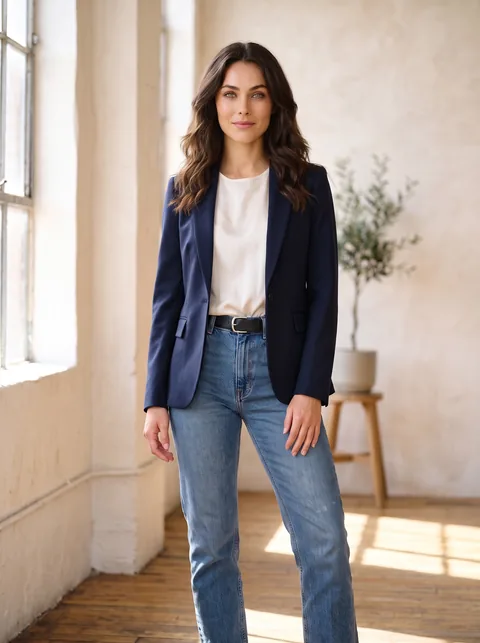
Layered navy blazer & silk blouse while keeping original jeans — BeforeLayered navy blazer & silk blouse while keeping original jeans — After

Layered navy blazer & silk blouse while keeping original jeans

Text prompt

Layer a sharply tailored fitted navy blazer over a softly draped ivory silk blouse on her upper body, while keeping her original blue jeans, leather belt, face, hair, pose, and bright studio background unchanged.

Demonstrates layered outfit control: adds a structured blazer and ivory blouse on top while preserving the original blue jeans and leather belt.

Check how the blazer lapel sits over the silk blouse, verify the transition at the leather belt and jeans waistband, and compare the model’s face and studio lighting side by side.

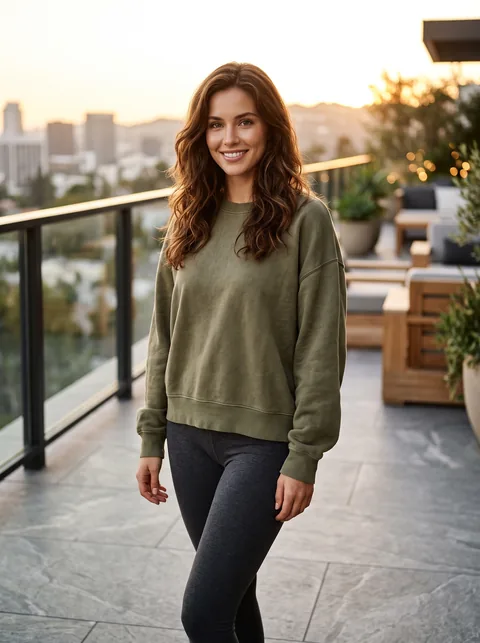
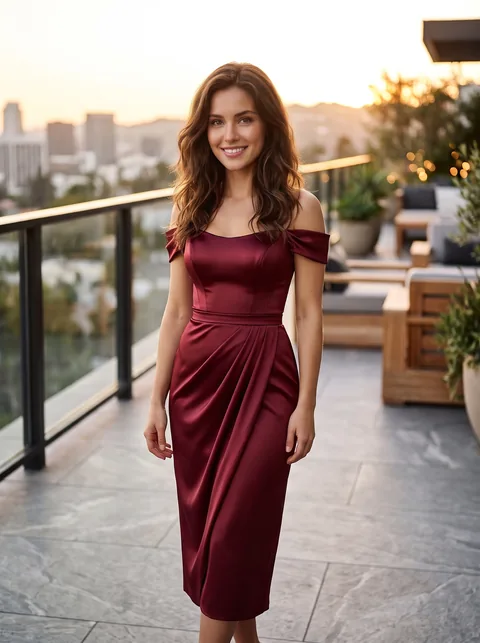
Swap dress AI: casual sweatshirt to burgundy satin evening gown — BeforeSwap dress AI: casual sweatshirt to burgundy satin evening gown — After

Swap dress AI: casual sweatshirt to burgundy satin evening gown

Text prompt

Replace her entire outfit with a sleek burgundy-red satin off-the-shoulder midi evening dress with a sculpted bodice, cinched waist, and elegant draped skirt. Keep her exact face, hair, body proportions, pose, golden-hour lighting, and terrace background unchanged.

Transforms an oversized olive sweatshirt and leggings into an off-the-shoulder burgundy satin evening dress while matching golden-hour highlights.

Inspect the satin reflections, shoulder neckline, waist drape, and arm edges at full resolution to verify natural transitions against the warm terrace backdrop.

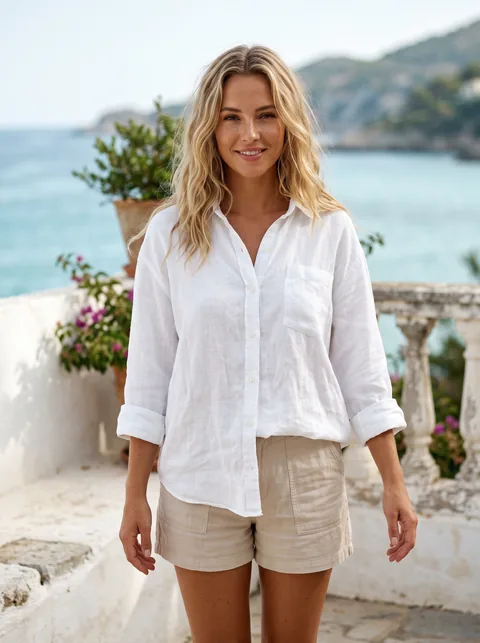
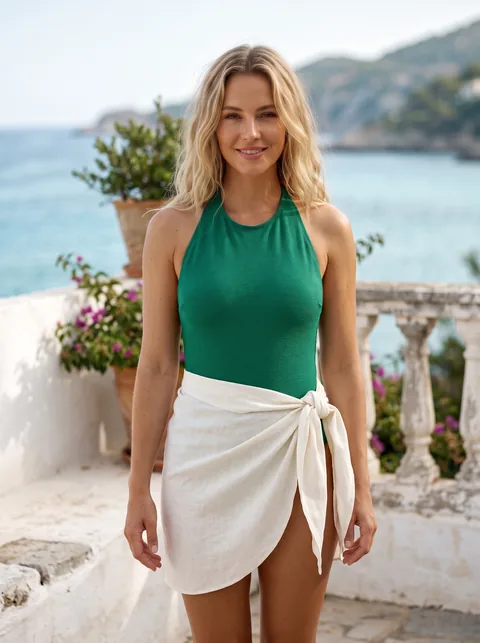
Standard resort swimwear & chiffon sarong preview (18+) — BeforeStandard resort swimwear & chiffon sarong preview (18+) — After

Standard resort swimwear & chiffon sarong preview (18+)

Text prompt

Replace her white shirt and beige shorts with an opaque stylish emerald-green halter-neck one-piece resort swimsuit paired with a draped ivory linen wrap sarong skirt tied neatly at the hip. Keep her exact face, hair, pose, sunlight, and coastal background unchanged.

Shows standard 18+ resort beachwear styling on a consenting adult model—supporting everyday outfits and tasteful swimwear while strictly blocking explicit edits.

Use the slider to compare facial expression, sunlit hair highlights, coastal lighting, and the sheer chiffon drape at the hip before saving your resort styling preview.

Check Every Outfit Swap Before Downloading

These examples show unretouched outputs from our AI clothes swap workbench. Before downloading any image, drag the slider to compare face likeness, posture, lighting, hands, and layered cuffs against the original photo at full resolution.

Read the photo outfit editing guide

AI Clothes Swap FAQ

Is this a free unlimited AI clothes swap with no sign up?

Your first 1K guest image is free and watermark-free with no sign up required, subject to current guest limits. It is not unlimited free generation: additional edits and 2K or 4K exports require an account and one-time credits. Credit costs are displayed before you generate, there are no recurring subscriptions, and failed runs refund credits automatically.

Does this tool offer an AI clothes swap with no restrictions?

No—this workbench does not support unrestricted or explicit edits. Every upload and generated image passes automated safety moderation. You may edit everyday outfits and standard swimwear on photos of consenting adults (18+), while nudity, sexual content, minors, and non-consensual edits are strictly blocked.

Do you support AI clothes swap video or photos only?

Currently this workbench supports static photo edits only (JPG and PNG up to 8 MB) and does not process AI clothes swap video clips. Focusing on single images lets you inspect fabric folds, lighting, and edges at up to 4K resolution with a before-and-after slider.

What is the difference between AI clothes swap and virtual try on?

Use AI clothes swap when you want to replace an entire outfit from a text description, test creative styling, or layer new pieces without needing a store listing photo. Use our Virtual Try On Clothes page when you already have a specific garment reference and want to preview that exact item before buying. Neither tool measures your body or guarantees physical sizing.

Do I need a clothes swap app, and are my uploaded photos private?

No clothes swap app download is needed—everything runs directly in your desktop or mobile browser. Uploaded photos are not published to a public gallery and are stored temporarily for processing and safety checks. Download your result promptly and keep your image link private.

Can I use generated outfit images commercially for e-commerce or marketing?

Yes, commercial use is permitted when you own or hold permission for the source photo and garment assets, have consent from every identifiable adult, and follow our terms. Because an AI clothes swap is a visual styling preview rather than a physical fit measurement, inspect outputs at full size against the physical garment and never present a preview as proof of exact sizing.